

Logitech warns on cleaning desk-eaten keyboards & mice
Wed, 4th Nov 2026 (Today)
Logitech Australia has issued guidance on cleaning keyboards and mice used while eating at desks, following survey findings that show the habit extends across four countries.
Crumbs, oils and drink spills can build up in work peripherals over time, particularly as workers continue to eat lunches and snacks in front of their screens. The guidance focuses on prevention as well as basic cleaning steps for devices that have already collected dirt.
Research cited by Logitech found that more than half of respondents in a 2026 survey had prepared a meal while getting ready for a meeting. Covering four countries, the study pointed to a broader overlap between work routines and mealtimes.
In Australia, the issue reflects a familiar office pattern: employees staying at their desks through lunch rather than moving to a kitchen or break area. According to Logitech, that leads to gradual wear and mess on keyboards, mice and desk surfaces.
Marisol Vargas, senior category portfolio manager, personal workspace solutions at Logitech ANZ, said the problem often goes unnoticed until devices become difficult or unpleasant to use.
“Eating at your desk isn't an issue, but the aftermath most definitely is,” Vargas said.
“Crumbs under the spacebar, oily sauces between the keys and spills from at-desk drinks can turn even the hardiest keyboards and mice into a sticky, unwanted mess over time.
“Though it's easy to miss this build-up, the good news is that it doesn't take much effort to stop it from happening again. Simply pushing the keyboard or laptop back before unwrapping lunch prevents crumbs from clogging all-important work peripherals, while switching to a wipe-clean desk mat lets mice glide smoothly without catching on spills or stains.”
The advice includes moving a keyboard or laptop away from food before eating and using a desk mat that can be wiped clean. For devices that are already dirty, Logitech recommends turning them off first, then shaking loose debris into a bin and using compressed air to remove dust from around switches.
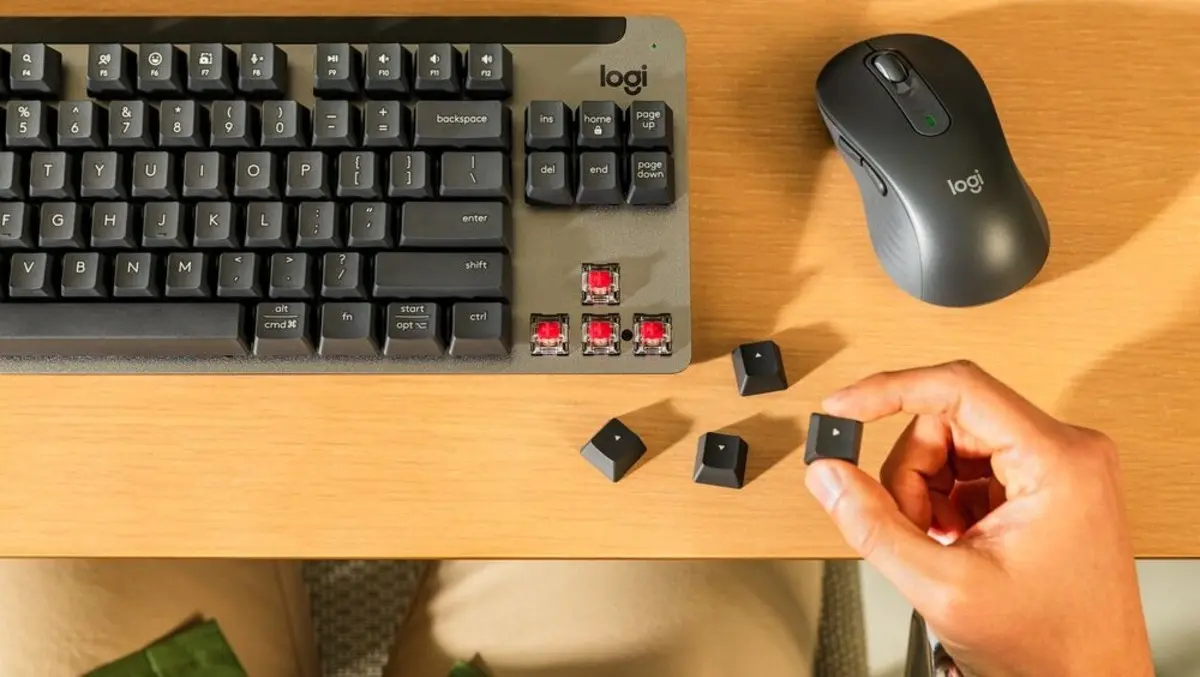
It also advises wiping keycaps with a soft microfibre cloth dampened with water rather than spraying liquid directly onto the keyboard. For mechanical keyboards, the guidance says keycaps can be removed for deeper cleaning, preferably with a keycap puller to avoid damaging switch stems and stabilisers.
Cleaning limits
Logitech drew a distinction between cleaning computer peripherals and cleaning ordinary household items. It warned against using bleach, acetone or solvent-based products on keyboards, saying they can damage plastic and remove lettering from keys.
Instead, it recommends warm water and mild soap, emphasising low-risk maintenance over aggressive cleaning products, particularly for workers dealing with oily residue or dried spills.
The guidance comes as employers and staff continue to grapple with work patterns that compress breaks and meetings into the same space and time. Eating during work sessions or directly before virtual meetings has become common, and the survey suggests the practice is not limited to one market.
While framed around cleaning, the advice also reflects a broader office reality: workers increasingly use the same surfaces and tools for multiple purposes throughout the day. In that environment, keyboards and mice are exposed not only to long hours of use but also to lunch, snacks and drinks consumed nearby.
Vargas said workers should avoid treating peripherals like standard kitchen or household items.
“Everyone should take the time to clean their peripherals, but it's important to remember these tools shouldn't be treated like typical household items,” Vargas said.
“Don't reach for what's under the kitchen sink - bleach, acetone or anything solvent-based will eat through plastic and strip the lettering off keys. Warm water and mild soap will do the trick.
“Think of it like looking after a car - you don't wait for it to break down before booking a service. Having lunch at the desk, while often unavoidable, will naturally take its toll on work peripherals. Giving them a quick, simple clean every now and again means you can eat over your desk guilt-free while powering through your inbox.”